The Civic Match program lead will review all hiring managers who have submitted new profiles for accuracy, to track new users and customers, and to approve any "Pending" hiring managers.
-
Navigate to the Hiring Managers tab.
- Filter by Pending status or Sort by Newest first to identify any hiring managers in Pending status.
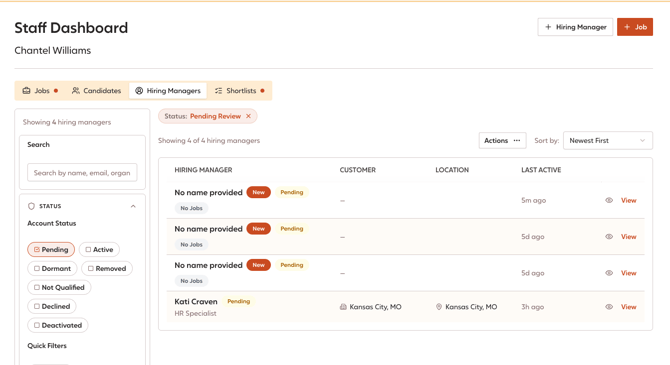
- Click on their name to review their profile.
- Review their profile details to vet their eligibility.
- Do they have a government-issued email address?
- Do they work for a state or local government employer? A University perhaps?
- Assigned Customer: Confirm their customer assignment is accurate.
-
-
- If not, add them to an existing customer entity from the drop-down list.
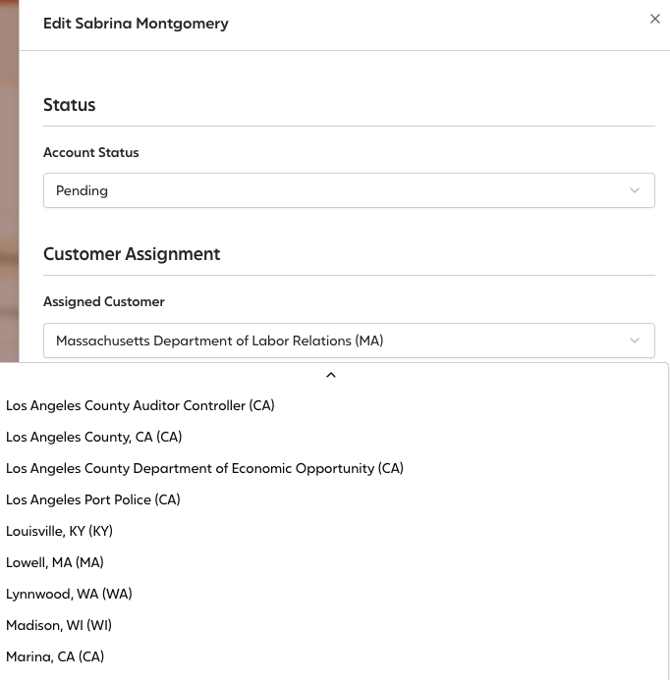
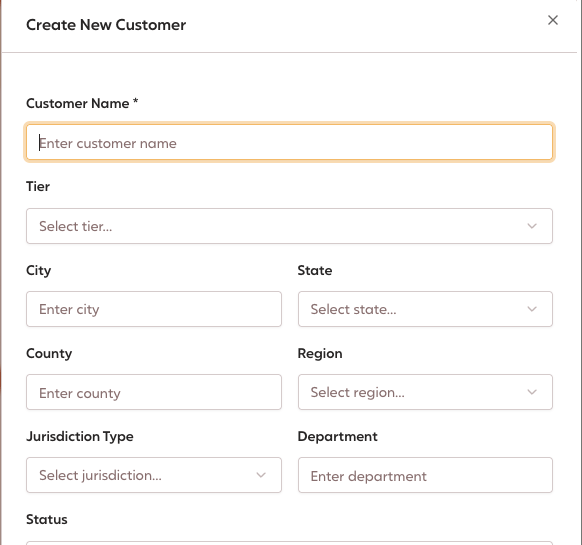
- If the customer does not yet exist, first create a new customer in the Customers tab. Then, return to the hiring manager profile to assign them to the correct customer.
- If not, add them to an existing customer entity from the drop-down list.
-
-
-
- Government Category: Based on where they work, select the appropriate jurisdiction type.
-
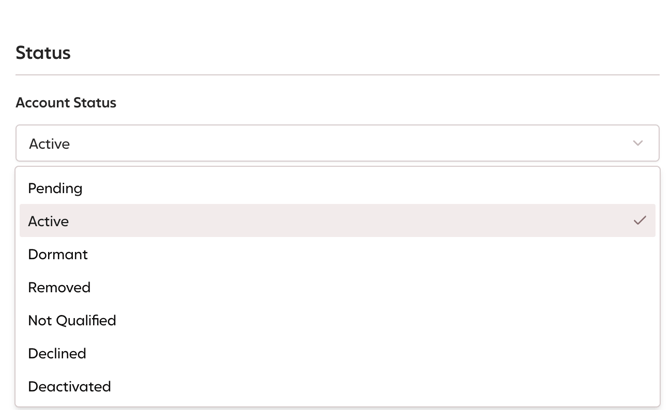
Account Status: If they are eligible users (see Hiring Manager Status definitions), change their status to Active.
- If the hiring manager is ineligible, change their status to Not Qualified.
- If the hiring manager is ineligible, change their status to Not Qualified.
-